



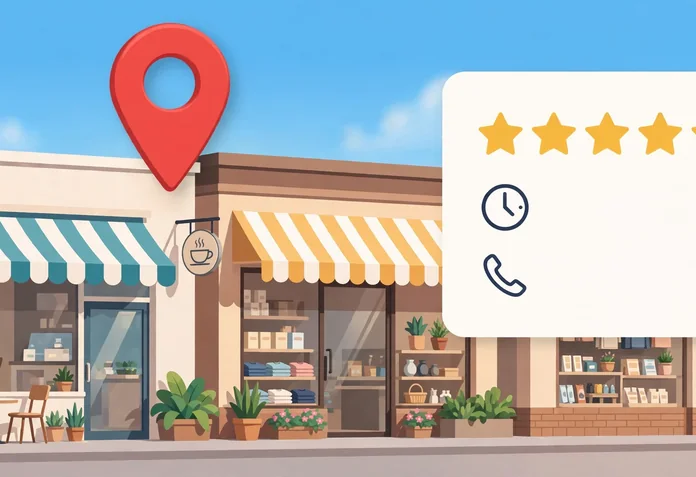
When a customer searches for a plumber, a dentist, a cafe or a solicitor near them, the first thing they usually see is not a website. It is a small panel with a map, opening hours, a phone number, photos and star ratings. That panel is a Google Business Profile, and for a small business it is often the first impression a customer gets. This guide explains, in plain language and with no jargon, what a Google Business Profile is, where it appears, who can have one, how to claim and verify it, and how to keep it working for your business week after week.
Google Business Profile at a Glance
A Google Business Profile is a free listing that controls how your business appears on Google Search and Google Maps. It shows your name, address or service area, phone number, hours, photos, reviews and a link to your website, and it lets customers call you, get directions or visit your site without ever opening your homepage. Any business that meets customers in person, either at its own premises or by travelling to them, can have one, and there should be only one profile per business. You claim or create the profile, prove you are authorised to manage it through verification, then keep it accurate, complete and active with photos, posts and review replies.
What Is Google Business Profile?
Google Business Profile is the free tool Google gives eligible businesses to manage how they show up on Google Search and Google Maps. It used to be called Google My Business, and you may still hear the old name, but the current name is Google Business Profile. The profile is a listing, not a website. It sits beside your website, links to it, and often appears before it in search results, especially when someone searches for a type of business near them.
When your profile is live, customers who search for your business name see a panel, often called the knowledge panel, with your key details in one place. When they search for a service, such as a hairdresser in Faisalabad or an accountant near me, your profile can appear in the local results, the small group of business listings with a map that Google shows near the top of the page. That group is often called the local pack. Your profile is also what customers see when they find you on Google Maps and tap your pin.
The profile is free. Google does not charge for creating a profile, for verification, for support, or for getting a suspended profile reinstated. Anyone who asks for a payment, a password or a verification code to maintain your profile is not Google. Google also states plainly that there is no way to request or pay for a better local ranking. A profile earns its place through accurate information, relevance to the search, reviews and activity, not through payment.
One more distinction matters. A Business Profile is not a social media account and it is not an advert. You do not post to followers, and you do not pay for placement. It is a business listing that answers the practical questions a customer asks before choosing you: are you open, where are you, how do I contact you, and can I trust you. Everything in this guide follows from that purpose.
Why It Matters for Small Businesses
For a large company, a Business Profile is one channel among many. For a small business, it is often the main way new customers find you, judge you and contact you. Four reasons explain why it carries so much weight.
Local Visibility Where Customers Actually Look
Most small business customers search locally. They type a service and a place, or they open Maps and look around them. A complete, verified profile is what makes your business eligible to appear in those results at all. Without a profile, Google has little verified information to show, and customers searching nearby will see your competitors instead. With one, your business can appear in the local pack and on Maps for the searches that matter most to you, the ones from people close enough to buy from you today.
Visibility here is practical, not vanity. The customer searching for a service near them is usually ready to act. They want a phone number, directions or opening hours, and your profile puts all three in front of them before they reach your website. That is why local visibility is the first reason a profile matters, and why an incomplete or unverified profile is a missed opportunity rather than a minor gap.
Trust Before the First Call
Customers judge a business in seconds, and a profile gives them the evidence they use. Photos show what the premises and the work look like. Reviews show what other customers experienced. Opening hours, a real address and a working phone number show the business is real and reachable. A profile with recent photos, answered reviews and up to date hours reads as a business that is alive and cared for. A profile with no photos, three year old hours and unanswered reviews reads as a business that may not answer the phone.
Verification adds to that trust. A verified profile tells Google, and by extension the customer, that the business has proved it operates at that address or in that area. Customers rarely think about verification directly, but they notice its effects: consistent information, a profile that appears reliably, and a business that responds. Trust is built in small signals, and a profile collects them in one place.
Calls, Directions and Actions
A profile turns a search into an action with one tap. Customers can call the business, get directions, visit the website, send a message where that option is available, or book an appointment through a booking link. These actions are the point of the profile. A website visit is useful, but a phone call from someone standing nearby is a customer about to buy.
Google reports these actions back to you in the profile performance data, so you can see how many people called, asked for directions or visited your website. That makes the profile measurable in a way a shop sign never is. You can see which weeks brought calls and whether a new photo, post or review reply coincided with more enquiries. The numbers are simple, but for a small business they are the clearest link between online presence and real customers.
Free and Always On
A Business Profile costs nothing and works around the clock. It shows your hours, your services and your reviews while you are closed, and it answers the questions customers ask at midnight as well as at midday. For a small business with a limited marketing budget, that makes it one of the best value tools available. It does not replace a website, advertising or word of mouth, but it is the foundation those other efforts build on, because it is where local searches land first. Our guide to marketing basics for business owners explains how a profile fits into a wider marketing plan, and our overview of the types of marketing puts local search in context alongside other approaches.
Who Can Have a Profile, and Who Cannot
Not every business qualifies, and Google is specific about the test. The eligibility rule is short: to qualify for a Business Profile, a business must make in-person contact with customers during its stated hours. That means either customers come to you, or you go to them. Everything else follows from that one sentence.
Businesses that qualify include shops, cafes, restaurants, salons, clinics, garages, gyms and offices that customers visit, and trades and services that travel to customers, such as plumbers, electricians, cleaners, mobile hairdressers and delivery services. A business that does both, for example an auto repair shop with a garage that also offers roadside service, is a hybrid business and can show its storefront address and a service area.
There should be only one profile per business, and one profile per location for a business with several locations. Individual practitioners and departments inside larger organisations, such as a clinic inside a hospital, can have separate profiles in some cases, but the general rule is one profile for one business at one place.
Google also lists businesses that do not qualify. An online-only business that never meets customers in person, such as a shop that sells only through its website, cannot have a profile. Lead generation businesses that pass enquiries on to other companies cannot have one either. Rental or for-sale properties are not eligible, and neither is a business whose address is a post office box or a mailbox at a remote location. A virtual office, where a business rents a mailing address but does not operate from that location, is not eligible. A co-working space address is only acceptable if the office has clear signage, receives customers during business hours and is staffed by your own team during those hours.
If your business does not qualify, do not create a profile anyway. Google can suspend a profile that breaks its guidelines, which removes it from Search and Maps entirely. If you are unsure, check the eligibility rules in Google’s guidelines for representing your business on Google before you start, because fixing a suspended profile takes far longer than checking first.
How to Claim or Create and Verify Your Profile
Setting up a profile has three stages: find or add the business, fill in the details accurately, and verify that you are authorised to manage it. Verification is the gate that matters most. Until verification is complete, customers cannot reliably find your profile, and you cannot edit its details, reply to reviews or see performance data.
Step 1: Find or Add Your Business
Start by searching for your business on Google Search or Google Maps. Many businesses already have an unclaimed profile, created from public information or customer activity. If one exists, claim it rather than creating a second one. If your business is not on Google at all, add it through Google Business Profile, using a Google Account that belongs to the business, not a personal account that leaves when an employee does.
Use the business name exactly as it appears in the real world, on your signage, stationery and website. Do not add extra words to the name, such as a location, a service or a marketing tagline. Google’s guidelines are clear that unnecessary information in the business name is not permitted and can lead to suspension. A cafe called Shelly’s Coffee should be listed as Shelly’s Coffee, not Shelly’s Coffee Best Cafe Downtown Open 24 Hours.
Step 2: Enter Accurate Details
Enter your address, phone number, website, category and hours exactly as customers experience them. The details you enter are what verification is checked against, so accuracy here saves time later. Choose a category that completes the sentence “this business is a”, and pick the fewest, most specific categories that describe your core business. A dental clinic should choose a dental category, not a general health category plus every service it offers as separate categories.
If you are a service-area business, one that goes to customers and does not receive them at your address, hide your address from customers and list the areas you serve instead. Google allows up to 20 service areas, set by city, town or postcode, not by a radius around your base, and the outer edge of the area should generally stay within about two hours of driving time from where the business is based. A plumber who works from a home address should clear the address from the profile and show the towns served. Listing areas you do not want work in only brings calls you will turn down.
Step 3: Verify Your Business
Verification proves you are authorised to represent the business. Google decides which verification methods are offered to you, based on your business type, public information, region and hours, and the choice cannot be changed. The methods Google offers include phone or text, email, a live video call, a recorded video, a postcard by mail, and in some cases instant verification if your website is already verified in Google Search Console. Some businesses need more than one method. Full details are on Google’s page on verifying your business.
Phone or text verification sends a code to your business number, which you enter on the profile. Automated phone menus cannot receive the code, so the number must reach a person or a phone that can receive texts. Email verification sends a link to an address shown on the verification screen. Video verification, which Google recommends where it is offered, asks for a single unedited recording, at least 30 seconds long, showing your location, your work and proof that you manage the business, such as street signs, permanent signage, branded equipment and access to staff-only areas. A live video call works the same way in real time, and is only available during your business hours.
Postcard verification mails a five digit code to your business address. Google says most codes arrive within 14 days, and the code expires after 30 days. While you wait, do not edit your business name, address or category, and do not request a new code, because either step invalidates the code already in the mail. After you complete the verification steps, Google reviews the information, and Google says verification reviews take up to 5 business days, occasionally longer. In some cases a profile is verified instantly, for example when the website is already verified through Search Console.
Two warnings deserve emphasis. First, keep your verification code secure and never share it with anyone, even someone who manages your profile. Google will never ask for your verification code. Second, if the “Get verified” button appears again after you verified, Google could not complete verification, and you should try to re-verify rather than creating a new profile. Creating a duplicate profile is one of the fastest ways to cause problems with how your information displays on Google Maps and Search.
How to Complete and Optimise Each Section
A verified profile is only the start. A half finished profile ranks poorly and convinces nobody. Work through each section below, and treat accuracy as more important than clever wording. Google compares what you enter against information from other sources, and inconsistencies create problems.
Business Name
Use your real-world name, exactly as customers know it. No keywords, no taglines, no location words, no phone numbers and no website addresses in the name field. Those details have their own fields, and putting them in the name is against Google’s guidelines and a common reason for suspension. If your registered name includes a legal term such as Ltd, you may need to show real-world proof, such as signage or business cards, that the term is consistently part of your name.
Category
Your primary category is the single most important choice on the profile, because it tells Google what your business is. Choose the most specific category that fits your core business, and add a small number of additional categories only if they describe distinct parts of what you do. Do not choose categories for nearby businesses, for services you do not offer, or for keywords you wish you ranked for. Google says to use the fewest categories it takes to describe your overall core business, and to choose categories that are as specific as possible. A category that is too broad, such as “store” for a specialist bakery, wastes the clearest signal you have.
Address and Service Area
Use a precise, accurate address, including suite or floor numbers where they apply. Do not add URLs or keywords to the address lines. If customers visit you, keep the address visible and make sure your permanent signage shows your business name at that address. If you are a service-area business, hide the address and list the areas you serve. Do not list a co-working desk, a friend’s shop or a mailbox as your address to avoid showing a home address. If Google cannot see a staffed business at the address, verification can fail or the profile can be suspended later.
Opening Hours
Give your regular customer-facing hours, and keep them accurate. Set special hours for holidays, temporary closures or events, and mark the business temporarily closed during an off season rather than leaving wrong hours showing. Google also lets you set additional hours for specific services, such as delivery or takeaway hours for a restaurant, as a subset of your primary hours. Some types of business should not list hours at all, including hotels, schools, cinemas and transport services, because their hours vary by activity. For most small businesses, though, accurate hours are essential, because nothing damages trust faster than a customer arriving to a closed door that Google said was open.
Phone and Website
Provide a phone number that connects directly to the individual business location, under the direct control of the business, and use a local number rather than a central call centre number where you can. Do not provide numbers or website addresses that redirect customers to a different business, a social media page or a generic landing page. The website link should go to a page that represents that specific location. If you have several locations, each profile should link to its own location page where one exists.
Business Description
Use the description to explain what you offer, who you serve and what makes you different, in honest, useful language. Do not fill it with promotions, prices or sales language, and do not put any links in it, because links are not allowed in the description. Keep it relevant to your business and free of misspellings, gimmicky characters and claims you cannot support. A short, plain description that a customer can read in ten seconds does more work than a long paragraph stuffed with keywords.
Attributes, Services and Products
Attributes are the factual details customers filter by: wheelchair access, outdoor seating, free Wi-Fi, appointment required, women-led, and similar facts. Add only the attributes that are true, and update them when they change. Services and products let you list what you offer with a short description and, where relevant, a price. Keep service names honest and specific, and do not use them as a place to repeat keywords. Together, attributes and services help customers decide whether you fit their needs before they call, which saves your time as well as theirs.
Photos: What to Add and Why They Matter
Photos are the most persuasive part of a profile. Customers look at them before they read anything. Google asks for real photos of the business, and profiles with good photos get more attention than profiles without them. Add a clear logo and a cover photo first, then add photos of the exterior, so customers recognise the building when they arrive, the interior, your team at work, and your products or finished jobs. Update photos when the premises, the menu, the team or the work changes, and remove photos that no longer show the business as it is.
Use photos you own or have the right to use, and make sure they show the real business. Stock photos of generic offices or food you do not serve mislead customers and waste the space. A phone photo of a real finished job, a real team member or a real dish is more convincing than a polished image of something you cannot deliver. Aim for a steady flow rather than a single upload: a few new photos each month keeps the profile looking active and gives customers a reason to look again.
Reviews: How to Earn Them and How to Handle Them
Reviews are the part of a profile that customers trust most and owners fear most. Google says more reviews and positive ratings can help your local ranking, which is one reason reviews matter commercially as well as reputationally. The way to earn them is simple and slow: ask every customer, in the same way, at the moment they are happiest with your work, and make it easy by sharing your review link or a QR code from the profile.
There are firm limits on what you may do. Google’s content policies do not allow businesses to offer payment, discounts, free goods or services in exchange for a review, and do not allow asking only happy customers while discouraging unhappy ones from reviewing. You should not pressure customers to leave a rating while they are on your premises, and reviews from staff, former staff or family members are not allowed because of the conflict of interest. Fake reviews, whether bought or written by the business itself, breach Google’s policies and can lead to the profile being restricted or removed, along with the reviews themselves.
Reply to reviews, good and bad, and reply as the business, not as an individual arguing a case. Thank customers who leave positive reviews and mention something specific from their visit, so the reply reads as genuine rather than copied. For negative reviews, respond promptly, stay calm, acknowledge the experience, and offer a way to resolve it offline, such as a phone number or an email address. Never argue in public, never reveal a customer’s private details, and never offer an incentive to change or remove a review. Future customers read your replies as closely as they read the reviews, and a gracious reply to a fair complaint often does more for trust than a perfect five star record.
Finally, watch for reviews that break Google’s rules, such as spam, fake reviews from competitors, or reviews containing personal information, and report them through the profile. Google decides whether to remove them, and the process can take time, so do not expect instant results. Keep replying to the genuine reviews in the meantime, because an active, responsive profile outweighs one bad review that is still under review.
Posts and Updates
Posts let you publish short updates directly on your profile: a new service, a seasonal offer, an event, a new product, or a useful announcement. They appear on the profile and can appear in search results, which makes them a simple way to show the business is active. A post needs a short message, a photo and, where relevant, a button such as Call now, Book, or Learn more.
Posts are short lived, so treat them as a habit rather than a campaign. A new post every week or two is enough for most small businesses: an offer with a clear end date, a photo of recent work, a reminder about holiday hours, or a note about a new team member. Keep each post honest and specific, and do not use posts to repeat your description or to stuff keywords. If a post is rejected, Google’s content guidelines explain the common reasons, and the usual fix is to remove promotional language, prices in the wrong place, or content that belongs in the description instead.
Questions, Answers and Messaging
Customers can ask questions on your profile, and anyone can answer them, including other customers. That is why you should answer questions yourself, quickly and accurately, and check the questions section regularly. A wrong answer left standing can mislead every customer who reads it afterwards. Answering your own questions also lets you cover the practical details customers ask most: parking, accessibility, booking, prices and opening hours.
Messaging has changed, and older advice about it is out of date. Google removed its built-in Business Profile chat, along with call history, on 31 July 2024. Customers can no longer start a chat inside your Google dashboard. What remains, for eligible accounts in supported regions, is a link to your own text messages or WhatsApp, which Google shows as a Message button on the profile in Maps. If you set one of those options up, messages land on your phone, not inside Google, so treat them like any other customer channel and answer them promptly. Do not rely on messaging alone: many customers will still call, and the call button on the profile remains the main route to you.
Insights: What to Measure
Once your profile is verified, Google shows performance data for it, in the Performance section of the dashboard. The numbers worth watching are simple: how many people found your profile in search and on Maps, how many called you, how many asked for directions, how many visited your website, and how many viewed your photos. Together they show whether the profile is being seen and whether it is turning views into contact.
Review these numbers monthly, not daily, because daily figures jump around too much to mean anything. Look for patterns instead: more calls after you added photos, fewer direction requests after you corrected the address, a quiet month that matches a seasonal dip. Compare the profile with your other marketing too. If the profile brings calls but your website brings few, the profile may be doing the selling and the website may need work, or the reverse. Our guide to marketing services explained can help you decide which parts of that picture are worth paying an agency for and which you can handle in house.
Do not chase the numbers by gaming them. There is no way to pay for a better local ranking, and no shortcut that replaces accurate information, genuine reviews and steady activity. The metrics are a check on whether the basics are working, not a target to inflate. If calls and direction requests grow slowly and steadily while your information stays accurate, the profile is doing its job.
Common Mistakes That Get Profiles Suspended or Ignored
Most profile problems come from a small set of avoidable mistakes. The first is creating a profile for a business that is not eligible, such as an online-only shop or a virtual office address. The second is creating a duplicate profile instead of claiming the one that already exists, which confuses Google about which listing is real. The third is padding the business name with keywords, locations or services, which Google’s guidelines forbid and which is a common reason for suspension.
Other mistakes are quieter but just as costly. Wrong hours, an old phone number or an address that no longer matches your signage all erode trust and can trigger re-verification. Choosing a vague or wrong category hides you from the searches you should appear in. Ignoring reviews, or replying only to praise, tells customers you are not listening. Buying fake reviews, offering incentives for them, or asking only happy customers to review can get the profile restricted and the reviews removed. And leaving the profile untouched for a year signals to customers, if not to Google, that the business may have moved on.
Suspension is the serious end of this list. Google says breaking its guidelines can lead to the profile or the Google Account being suspended, which removes the business from Maps and Search entirely. If your profile is suspended, read Google’s guidelines, fix the specific problem, and request reinstatement with evidence, such as photos of signage or business documents. Do not create a replacement profile to get around a suspension, because that usually makes the problem worse.
A Short Monthly Maintenance Routine
A profile needs little time once it is set up, but it does need regular attention. Set aside thirty minutes a month and work through this routine. First, check that the name, address, phone number, hours and website are still correct, and update anything that has changed. Second, add two or three new photos, and remove any that are out of date. Third, reply to every review since your last check, and report any review that breaks Google’s rules. Fourth, publish one post about something real: a new service, a seasonal note, recent work, or a change in hours. Fifth, check the questions section and answer anything new. Finally, look at the performance data for the month and note whether calls, direction requests and website visits went up or down, and whether anything you changed might explain it.
That routine is the whole job. A profile that is accurate, complete, reviewed, photographed and updated monthly will outperform a profile that was filled in once and forgotten, and it will do so without any paid tools or specialist help. The businesses that win local search are rarely the ones with the cleverest tactics. They are the ones whose information is right, whose customers leave genuine reviews, and whose profiles show a business that is open, active and easy to contact.
Frequently Asked Questions
Is Google Business Profile really free?
Yes, Google Business Profile is completely free. Google does not charge to create a profile, to verify it, to get support, or to have a suspended profile reinstated. Anyone who asks for a payment, a password or a verification code to maintain your profile is not Google, and you should not share those details with them.
Who can have a Google Business Profile?
Any business that makes in-person contact with customers during its stated hours can have one, either because customers visit its premises or because it travels to customers where they are. Online-only businesses, lead generation companies, rental or for-sale properties, and businesses using a post office box or a virtual office address do not qualify.
How long does verification take?
It depends on the method Google offers you. Phone, text and email verification can be instant once you enter the code or follow the link. A postcard code usually arrives within 14 days and expires after 30 days. After you complete the steps, Google reviews the information, and that review usually takes up to 5 business days, though it can occasionally take longer.
Can I pay Google for a better local ranking?
No, there is no way to request or pay for a better local ranking on Google. Local ranking depends on relevance to the search, distance, and the prominence of the business, which reflects accurate information, genuine reviews and real-world activity. Paying for adverts is separate from the local results and does not change where your profile appears in them.
Can I offer a discount in exchange for a Google review?
No, Google does not allow businesses to offer payment, discounts, free goods or services in exchange for a review, and it does not allow asking only happy customers to review while discouraging others. Ask every customer in the same way, make it easy with your review link, and reply to the reviews you receive, good and bad.
What happened to messaging on Google Business Profile?
Google removed its built-in Business Profile chat and call history on 31 July 2024, so customers can no longer message you inside your Google dashboard. For eligible accounts in supported regions, you can instead add a text message or WhatsApp option, which shows as a Message button on your profile and sends messages to your phone. Customers can still call you directly from the profile.
