



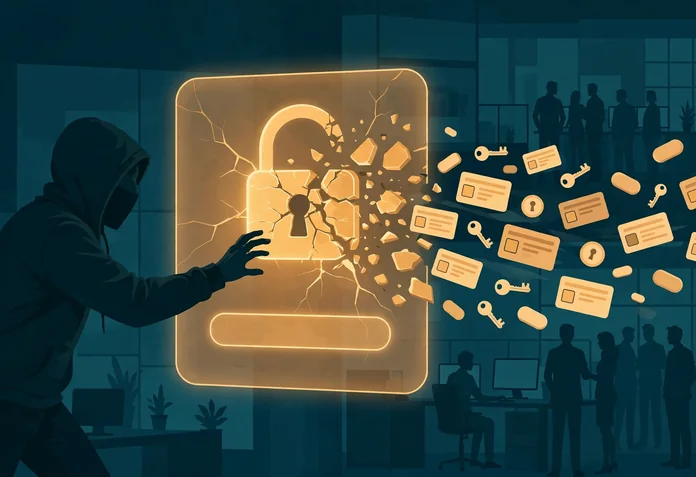
Nobody needs to break into your business to log in to it. The passwords your staff use are already circulating: harvested from infected laptops by infostealer malware, compiled from old breaches, sold in searchable logs and replayed against company accounts by automated tools around the clock. When a password fails, attackers move to the session behind it, through phishing kits that relay multi-factor codes in real time, stolen cookies that skip the login entirely, and push notifications sent until a tired employee taps approve. This guide walks through the six ways business credentials are actually stolen in 2026, the documented cases behind each one, and the organisational controls that stop them, because credential theft is now an operating risk, not an IT curiosity.
In short: six ways credentials are stolen, and what stops them
Business passwords in 2026 are rarely cracked one by one. They are harvested in bulk, bought, replayed and, when multi-factor authentication gets in the way, bypassed by stealing the authenticated session instead. These are the six methods that account for nearly all of it, and each one has a specific organisational control, covered in its section below.
- Infostealers: malware on staff devices harvests saved logins, cookies and autofill data.
- Credential stuffing: leaked passwords are replayed against company logins automatically and at scale.
- Phishing kits that beat MFA: adversary in the middle proxies relay codes in real time and keep the session.
- Session token theft: a stolen cookie skips the login page entirely.
- MFA fatigue: repeated push prompts until an employee approves one to make them stop.
- Spraying and cracking: common passwords tried everywhere, then weak password hashes cracked offline.
The leak economy: why someone else’s breach becomes your incident
Start with the raw material. In June 2025, Cybernews researchers reported finding about 30 exposed datasets holding roughly 16 billion login records between them. That number needs the nuance the headlines skipped: it was not one fresh breach of any platform. It was a compilation, mostly infostealer logs and older breach data, with duplicates throughout, gathered from infected devices over years. That is precisely why it matters to a business. The supply of your staff’s passwords does not depend on your systems being breached. It depends on any device they have ever used being infected, and on any service they ever reused a work password on being breached.
The industrial scale is documented. Flashpoint’s 2025 Global Threat Intelligence Report counted 3.2 billion credentials compromised in 2024, a 33 percent increase on the year before, with about 75 percent of them, some 2.1 billion, sourced from infostealer malware running on more than 23 million infected devices. The demand side is just as clear. Verizon’s 2025 Data Breach Investigations Report found compromised credentials were the initial access vector in 22 percent of the breaches it analysed, and that stolen credentials were used in about 88 percent of basic web application attacks. And the traffic never sleeps: Microsoft reported observing about 7,000 password attacks per second, more than double the rate of two years earlier.
The case that should be pinned to every IT lead’s wall is the 2024 campaign against customers of the data platform Snowflake. Investigators at Mandiant found that the group it tracks as UNC5537 logged in to the Snowflake accounts of about 165 organisations using credentials previously stolen by infostealers, some harvested years earlier. At least 79.7 percent of the accounts the attackers used had prior credential exposure in stealer logs, and the compromised accounts had no multi-factor authentication enabled. No zero day, no platform breach: old passwords, still valid, on accounts where a password alone was enough. It is the leak economy working exactly as designed, and it is the same economy that produced several entries in the countdown of the biggest cyber attacks in history, from Yahoo’s 3 billion accounts onward.
Method 1: infostealers harvest the device, not the password
An infostealer is malware built to empty a device of everything that logs its owner in: passwords saved in the browser, session cookies, autofill data, and often the contents of password manager vaults left unlocked. It typically arrives through cracked software, fake downloads, malicious attachments or booby-trapped ads, runs once, exfiltrates a compact log and deletes itself. The victim notices nothing. The log is sold, bundled and resold, and the buyer gets working credentials for the victim’s email, banking, cloud storage and, if the device was ever used for work, the company’s systems too. The contractor device is the soft spot: several of the Snowflake intrusions began with infections on contractor systems also used for gaming and downloading pirated software.
The defining infostealer case is Lumma, sold to criminals as a subscription service under the name LummaC2. In May 2025, as Microsoft’s Digital Crimes Unit described, a coordinated action with the US Department of Justice, Europol and Japan’s JC3 seized or blocked about 2,300 domains that formed Lumma’s backbone; Microsoft alone had identified more than 394,000 infected Windows computers in the two months before the takedown, and the Justice Department noted the FBI had identified at least 1.7 million instances of LummaC2 being used to steal information. The sequel matters as much as the takedown: by February 2026, Bitdefender’s researchers reported LummaStealer back at scale, rebuilt on new hosting and delivered heavily through fake CAPTCHA pages, known as ClickFix, that trick users into running the infection themselves.
The business control: treat the endpoint as the perimeter. Run managed endpoint protection on every device that touches company accounts, including a policy answer for personal devices used for work. Ban saving company passwords in browsers, because the browser store is the first thing a stealer empties; a managed password manager is the alternative, not a spreadsheet or a notebook. Keep operating systems and browsers patched, block cracked software outright, and train staff that a verification page asking them to paste commands into a terminal or Run box is an attack, full stop.
Method 2: credential stuffing replays the last breach
Credential stuffing needs no malware at all. Attackers take the email and password pairs from breaches and stealer logs, load them into automated tools and try them, in bulk and at low speed to dodge lockouts, against every login page that might accept them: Microsoft 365, VPNs, payroll, banking, the company webmail. It works because people reuse passwords, so a credential stolen from a games forum in 2021 opens a work mailbox in 2026. Verizon’s additional DBIR research on credential stuffing gives the scale a texture most businesses miss: analysing single sign-on provider logs, Verizon found credential stuffing accounted for a median of 19 percent of all daily authentication attempts, rising to about 25 percent at enterprise organisations and still about 12 percent at small businesses. Roughly one login attempt in eight against a small business is a machine trying somebody else’s stolen password.
The business control: make reuse worthless and replay visible. Unique passwords for every service, generated and stored by a company password manager, remove the stuffing payoff entirely. Add breach monitoring that flags when a staff credential appears in a new dump, so it can be reset before it is replayed. Put rate limiting, lockouts and bot detection on every login page, and consolidate logins behind single sign-on where possible, because one well-defended front door is easier to watch than fifteen forgotten ones.
Method 3: phishing kits that relay MFA in real time
Multi-factor authentication stopped the dumb version of phishing, so phishing industrialised. An adversary in the middle kit places a proxy between the victim and the real login page. The victim sees the genuine page, served through the attacker’s domain, types a genuine password and completes a genuine MFA challenge. Everything is relayed to the real service in real time, so every check passes. What the attacker keeps is the prize issued at the end: the authenticated session cookie. Microsoft’s Digital Defense Report 2026 attributes 44.6 percent of identified phishing techniques to these adversary in the middle kits, now the single largest phishing category it tracks, ahead of ordinary link phishing. Some kits go further and actively strip out the strong options: the BigBear 2.0 operation examined in the next section shipped code that disabled FIDO2 in the victim’s browser, pushing the sign-in down to a weaker, relayable factor.
The business control: use authentication that cannot be relayed. A passkey or hardware security key proves itself to the real domain only, so a proxy showing a lookalike page gets nothing reusable; there is no code to pass through and no password to keep. The usability argument has also flipped: the FIDO Alliance Passkey Index reports passkey sign-ins succeeding 93 percent of the time, against 63 percent for other methods, across services including Amazon, Google, Microsoft and PayPal. Prioritise phishing-resistant MFA for email, cloud admin and finance accounts, and treat any account still relying on SMS codes as legacy debt with a retirement date.
Method 4: session token theft skips the login entirely
The logical endpoint of relay phishing is not stealing the password at all. When a user finishes logging in, the service issues a session token, stored as a cookie, which the browser presents as proof of authentication on every request. Whoever holds a valid token is, as far as the service can tell, the user. Tokens are stolen two ways: scraped from an infected device by infostealers, alongside the saved passwords, or captured live by a phishing proxy at the moment of issue. Either way, password resets alone do not evict the thief, because the token keeps working until it expires or is explicitly revoked.
The clearest window into this trade came in June 2026, when CloudSEK’s researchers gained access to the admin panel of BigBear 2.0, an Evilginx2-based phishing service targeting Microsoft 365 across more than 40 countries. The panel held 5,137 exfiltrated credential records from 461 organisations, including 1,032 plaintext passwords and 4,148 session cookies, and, the figure that defines the method, 474 complete authentications where MFA had been fully completed by the victim and the resulting session captured anyway. Nothing was cracked and nothing was guessed. The victims did everything right at the login page, and the attacker simply kept the receipt.
The business control: manage sessions as a security surface, not a convenience setting. Shorten session lifetimes for sensitive applications, bind sessions to the device where the platform supports it, and require fresh authentication for high-risk actions such as changing bank details, adding a payee or exporting customer data. Most importantly, build revocation into the incident playbook: on any suspected compromise, revoke all sessions and tokens first and reset the password second, and alert on impossible travel and token use from a new device or network.
Method 5: MFA fatigue talks the employee into it
The cheapest MFA bypass is persistence. The attacker, holding a stolen password, triggers login after login, and the victim’s phone buzzes with approval requests again and again, often late at night. Sooner or later, out of annoyance, confusion or a wish to make it stop, the victim taps approve. Sometimes a follow-up message posing as IT support explains that approving once will clear the fault. The canonical case is Uber’s September 2022 breach: an attacker bought a contractor’s corporate password, most likely harvested from the contractor’s malware-infected personal device, and flooded the contractor with two-factor approval requests until one was accepted, then reached internal tools including Slack and Google Workspace. Uber attributed the attacker to the Lapsus$ group. The two-factor system worked exactly as designed; the human at the end of it was simply worn down.
The business control: remove the one-tap decision. Turn on number matching, where the employee must type a number shown on the login screen into the authenticator app, because a fatigued tap cannot match a number the attacker cannot see. Throttle and block repeated prompts, and alert the security contact after a small number of denials. Then make the behavioural rule a written policy, the five-second rule: an MFA prompt you did not just request is never approved, ever, and is reported immediately. Staff who report prompts should be thanked publicly; the report is the detection system.
Method 6: spraying and cracking finish the job
Password spraying inverts the brute force problem. Instead of trying many passwords against one account and tripping the lockout, the attacker tries one or two extremely common passwords against thousands of accounts, staying under every threshold. The ammunition is public knowledge. NordPass’s Top 200 Most Common Passwords for 2025, built with NordStellar from breach data covering September 2024 to September 2025, puts “123456” first with 21,627,656 occurrences and “admin” second with 21,030,012. Any account in your business still using a password from that list is not protected by a password in any meaningful sense. Cracking is the offline twin: when a hash database leaks, attackers test guesses against the hashes on their own hardware, with no lockouts at all. Hive Systems’ 2025 Password Table, which models twelve RTX 5090 graphics cards attacking bcrypt hashes at cost factor 10, puts an eight-character numbers-only password at about 15 minutes and an eight-character lowercase password at about 3 weeks, while a full-mix eight-character password stretches to roughly 164 years. Length and randomness are the whole game, and human-chosen passwords lose it.
The business control: set policy for machines, not for memory. Require long passphrases or manager-generated passwords of at least 14 characters, screen new passwords against blocklists of known common and breached passwords, including the NordPass list, and apply lockout plus alerting tuned to catch spraying patterns across accounts, not just per account. Where your business stores passwords for its own customers or systems, store them with a modern, slow hash such as bcrypt or Argon2 at a sensible cost factor, because the Hive numbers show the hash is the last line of defence once a database walks out.
The 2026 protection stack for a business
None of the six methods needs a bespoke defence product. They collapse against the same stack, in this order. First, passkeys wherever they are offered, starting with email, because email resets everything else; adoption is no longer experimental, with Dashlane’s 2025 Passkey Power 20 recording passkey authentications more than doubling in a year to 1.3 million a month across its users, and 40 percent of its users now storing at least one passkey. Second, a company password manager for everything that still needs a password, so uniqueness stops depending on memory. Third, phishing-resistant MFA, passkeys or hardware keys, mandatory for privileged, finance and remote access accounts, with number matching as the floor for everyone else. Fourth, endpoint protection and patching on every device, managed or personal, that touches work accounts, aimed squarely at infostealers. Fifth, session controls: sensible lifetimes, device binding where available, and a rehearsed revoke-everything step in the incident plan. Sixth, training that teaches the three reports that matter: an unrequested MFA prompt, a verification page asking for pasted commands, and a login page reached from an unexpected link.
This stack sits inside the wider programme covered by the guide to cyber security measures for businesses, and it answers the same threat model as the companion article on AI hackers and agent-run attacks: when credential theft runs at machine speed, the controls that survive are the ones that remove the reusable secret entirely. Testing whether your own defences hold is a separate discipline, covered in the guide to types of penetration testing, and the current web-facing risks are catalogued in website security attacks to watch out for.
A short note for personal accounts
Everything above applies at home, in miniature, and it is free. Turn on passkeys or an authenticator app for personal email and banking first. Use a password manager so every account gets a unique password you never have to remember. Never approve a sign-in prompt you did not trigger. Keep phones and computers updated, and be suspicious of any page that asks you to run a command to prove you are human. Staff who practise these habits at home bring them to work, and the reverse is also true.
Frequently asked questions
How are most business passwords actually stolen?
Most are not guessed; they are harvested. Infostealer malware on staff and personal devices lifts saved logins, cookies and autofill data, and Flashpoint counted 2.1 billion credentials stolen that way in 2024 alone. The rest are mainly replayed from old breaches, phished through kits that relay multi-factor codes in real time, or captured as live session tokens after a successful login.
What is credential stuffing?
Credential stuffing is the automated replay of username and password pairs leaked from one breach against other services, on the assumption that people reuse passwords. Verizon’s research for the 2025 DBIR found credential stuffing accounted for a median of 19 percent of all daily authentication attempts at the single sign-on providers it analysed, so a meaningful share of the traffic at any company login page is already an attack.
Can phishing beat MFA?
Yes, when the MFA factor can be relayed. Adversary in the middle phishing kits sit between the user and the real login page, pass the password and one-time code through in real time and keep the session cookie issued afterwards. Microsoft’s Digital Defense Report 2026 attributes 44.6 percent of identified phishing techniques to these kits. Phishing-resistant methods such as passkeys and hardware keys cannot be relayed in this way.
What is session token theft?
After you log in, the service gives your browser a session token, a cookie that proves you are authenticated. Session token theft means stealing that cookie, through malware or a phishing proxy, and replaying it from the attacker’s machine. The attacker skips the password and MFA entirely, which is why revoking sessions matters as much as resetting passwords after an incident.
What is MFA fatigue?
MFA fatigue is wearing a victim down with repeated push approval requests until they tap approve to make the prompts stop, sometimes helped by a fake message from IT support. It is how an attacker using a contractor’s stolen password got into Uber in September 2022. Number matching, prompt throttling and a standing rule that unrequested prompts are always denied and reported defeat it.
Should a business switch to passkeys?
Yes, starting with the accounts that matter most. Passkeys cannot be phished, replayed or stuffed, because there is no shared password to steal, and the FIDO Alliance Passkey Index reports a 93 percent sign-in success rate for passkeys against 63 percent for other methods. Roll them out first for email, cloud admin and finance accounts, keep a password manager for everything that does not support them yet, and require passkeys or hardware keys for privileged users.
