



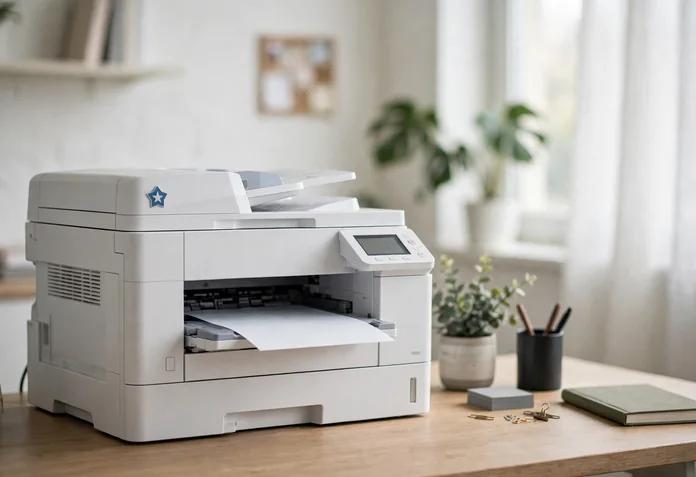
A printer that sits on all day in a small office can quietly add to the electricity bill, even when nobody is printing. Most of the energy a printer uses goes to keeping itself warm and ready, not to putting ink or toner on paper. That is why the small blue ENERGY STAR label on the box is worth understanding before you buy. It is not a claim about print quality or speed. It is a promise about energy use, tested and certified against a published standard.
This article explains what ENERGY STAR is, who runs it, what a printer must do to earn the label, how to check that a specific model is genuinely certified, and what the label does and does not mean for your running costs.
In short: a certified printer wastes less energy while it waits
ENERGY STAR is a programme run by the United States Environmental Protection Agency that certifies products meeting strict energy efficiency requirements. For printers, certification means the model has passed an independent laboratory test showing it stays under a weekly energy budget, drops into a low power sleep mode quickly when idle, and, on faster models, prints double-sided by default. The label says nothing about print quality, speed or ink cost, so it is one factor in a buying decision, not the whole decision. Before buying, check the exact model number in the official ENERGY STAR Product Finder, because only models listed there are certified, and a printer described as energy efficient is not necessarily certified at all.
What is ENERGY STAR, and who runs it?
ENERGY STAR is a voluntary labelling programme run by the United States Environmental Protection Agency, known as the EPA. It covers a wide range of products, from computers and monitors to washing machines and light bulbs, and imaging equipment is one of its product categories. Printers, scanners, copiers, fax machines and multifunction devices all fall under that category. The programme sets an energy efficiency specification for each product type, and only products that meet it may carry the ENERGY STAR mark.
The important point for a buyer is that certification is not self declared. Before a manufacturer may put the ENERGY STAR name or mark on a printer, the model must be tested in a laboratory recognised by the EPA and certified by a certification body recognised by the EPA. The programme also runs ongoing verification testing, and the EPA may test products bought on the open market, so the label is checked after it is awarded, not only at the point of application. That third party checking is what separates a certified model from a printer that is simply marketed with words such as energy saving or eco friendly.
The current specification for imaging equipment is Version 3.2, published by the EPA. A model must meet the version of the specification that is in effect on the date that particular unit was manufactured, so an older printer can legitimately carry the label under an earlier version while a newer model is judged against the current one. The specification is a public document, and any buyer can read the same requirements the manufacturer had to meet. The full text is published as the ENERGY STAR Product Specification for Imaging Equipment, Version 3.2.
ENERGY STAR is a United States programme, but the label is used internationally, and many printer models sold in other countries carry it. The requirements themselves do not change by market, although products are tested at the voltage and frequency of the market where they will be sold. For a small business buying a printer, the practical meaning is the same wherever you are: the label is a tested claim about energy use, not a marketing slogan.
What certification means for a printer, specifically
For a printer, ENERGY STAR certification is a claim about energy, and only about energy. A certified printer has been tested to show that it uses less electricity than a typical comparable model across a normal week of use, and that it manages its own power properly when it is not printing. The EPA states that imaging equipment that has earned the ENERGY STAR is, on average, 25 percent more efficient than standard models. ENERGY STAR itself puts the figure as certified products using up to 35 percent less energy than their conventional counterparts. Both figures describe the average across the certified range, not a promise for any single model, and the saving on one printer depends on how that printer is used.
That last point matters, because a printer spends most of its life waiting. ENERGY STAR notes that the typical multifunction device is in use only about 5 percent of the time. The other 95 percent of the time it is sitting ready, in sleep mode, or off, and the energy it draws during those idle hours is often larger than the energy used to print the pages. This is why the specification spends so much attention on sleep mode and on how quickly a printer drops into it. A printer that prints efficiently but stays warm all night is not an efficient printer.
Certification also covers the way the printer handles paper. On faster models, the specification requires double-sided printing hardware to be built in and switched on by default, so the energy saving is matched by a paper saving. Paper is not an energy cost in the same sense, but it is a running cost, and a default that halves paper use on long documents is worth more to most small businesses than the electricity saving itself.
What certification does not cover is equally important, and it is covered in detail later in this article. The label says nothing about how good the prints look, how fast the first page comes out, how much the ink or toner costs, or how long the printer will last. Those are separate questions, and a certified printer can be a poor choice for a particular office if it prints too slowly or its cartridges cost too much. The label answers one question well, and a buyer who treats it as an answer to every question will be disappointed.
The main requirements, in plain language
The Version 3.2 specification tests printers in one of two ways, depending on the type of product. Most office printers and multifunction devices are tested under the Typical Electricity Consumption method, usually shortened to TEC, which measures the energy a printer uses across a simulated week of normal use. Other products are tested under the Operational Mode method, shortened to OM, which measures the power the product draws in each of its states, such as ready, sleep and off. Both methods lead to the same outcome: a limit the product must stay under, and a test that proves it did.
The weekly energy budget
Under the TEC method, a printer is given a weekly energy budget measured in kilowatt-hours, written as kWh per week. The budget depends on the type of printer and its speed, and faster printers are allowed more energy, because they do more work. As an example, a monochrome printer that is not a multifunction device and prints at 20 images per minute or slower must stay under 0.226 kWh per week, while a comparable colour printer at the same speed must stay under 0.275 kWh per week. Those are small numbers: 0.226 kWh per week is roughly what a 10 watt LED bulb uses in a day. The budget grows with speed, following a formula in the specification, so a fast office printer is allowed a larger budget than a slow desktop model, but in every case the limit is set so that only the more efficient models in that class can pass.
The test that produces the number simulates a week of real use: printing jobs, waiting between jobs, dropping into sleep mode, and sitting overnight. The result is a single figure, the TEC value, which the manufacturer must report. The Product Finder lists the TEC value for each certified model, so a buyer can compare two certified printers directly and see which one uses less energy in a typical week. A lower TEC value means lower energy use, and the difference is real, because both models were measured the same way.
Sleep mode, auto-off, and waking up
The specification sets strict rules for how quickly a printer must go to sleep. The default delay, meaning the time the manufacturer sets before the printer is shipped, depends on the printer speed. A printer that prints at 10 images per minute or slower must drop into sleep mode within 5 minutes of finishing a job. A printer at 10 to 20 images per minute must sleep within 15 minutes, one at 20 to 30 images per minute within 30 minutes, and a faster printer within 45 minutes. A user may lengthen the delay, but not without limit: the specification caps the longest delay a user can set at 60 minutes for printers up to 30 images per minute, and 120 minutes for faster ones.
Sleep itself is also capped. For products tested under the OM method, the power drawn in sleep mode must stay under a limit measured in watts, and the limit is tight: for a standard format printer it is a fraction of a watt for inkjet models and only a few watts for other marking technologies, with small allowances added for features such as Wi-Fi or a touch panel. When the printer is fully off, the limit is 0.3 watts for all OM products, which is barely more than nothing. These limits are the reason a certified printer does not quietly draw power all night the way an older model can.
There is one more rule that protects the user experience. A printer that sleeps quickly is no good if it takes a long time to wake up, because users will simply switch the sleep feature off. The specification therefore caps the recovery time, the extra delay before the first page comes out after the printer wakes from sleep, at 30 seconds for models with a short sleep delay and 60 seconds for models with a longer one. A certified printer should therefore feel ready when you need it, even though it spends most of its life asleep.
Double-sided printing by default
For printers tested under the TEC method, automatic double-sided printing, known as duplex printing, must be built into the base product, not sold as an optional extra. On top of that, duplex printing must be switched on as the default setting for colour printers faster than 19 images per minute and for monochrome printers faster than 24 images per minute. The only exemption is for printers designed to print on special single-sided media, such as label printers and direct thermal printers, where double-sided printing is not possible.
This rule matters for two reasons. First, it cuts paper use, and paper is a cost every office notices. A 20 page document printed double-sided uses 10 sheets instead of 20, and across a year of reports, invoices and drafts that saving is substantial. Second, it changes behaviour without asking the user to do anything. Most people never change a printer default, so a printer that ships with single-sided printing as the default will print single-sided for its whole life, while one that ships with duplex as the default will quietly halve paper use for years. Certification makes the better default the one that ships in the box.
What else the programme checks
Energy is the core of the specification, but two further conditions sit alongside it. First, products sold in the United States must meet material requirements based on the European RoHS rules, which limit substances such as lead, mercury, cadmium and certain phthalates in the product, and must be designed so that enclosures and subassemblies can be removed by hand with common tools, to make recycling practical. These requirements are part of the partner commitments rather than the laboratory energy test, and they are not rechecked at every certification, but they are part of what the manufacturer signs up to.
Second, the marking rules are strict. The ENERGY STAR mark must be clearly displayed on the top or front of the product, on the manufacturer website where the model is described, in the product literature or a box insert, and on the retail packaging. If you are looking at a printer in a shop or on a website and cannot find the mark in any of those places, that is a reason to check the Product Finder before you believe the claim. A genuine certification is visible, and the manufacturer is required to make it visible.
How to check whether a specific model is genuinely certified
The only reliable check is the official list. ENERGY STAR publishes a Product Finder for imaging equipment, a searchable list of every certified model, at energystar.gov. The list holds more than 1,000 certified imaging products, and each entry shows the brand, the exact model number, the print speed, the TEC value in kWh per week where it applies, the power drawn in sleep mode in watts, and a clear statement that the model is ENERGY STAR certified. You can search the list by brand or model number and compare certified models side by side. The direct link to the certified imaging equipment results is on the ENERGY STAR Product Finder for imaging equipment.
Follow these steps before you buy. First, get the exact model number from the product page or the box, including any letters after the number, because certification applies to a specific model, not to a whole brand or range. A manufacturer can sell two printers that look identical, one certified and one not, and the difference is in the model number. Second, search for that exact model number in the Product Finder and confirm the entry says the model is certified. Third, check the details on the entry: the TEC value tells you the weekly energy use, and the sleep power figure tells you what it draws while it waits. If two models are both certified, the one with the lower TEC value will cost less to run. Fourth, look for the ENERGY STAR mark on the product itself, on the box, and on the manufacturer product page, since certified products are required to display it in all three places.
Be careful with the difference between certified and merely described as energy efficient. Any manufacturer can write energy efficient, eco mode, or low power on a box or a website, because those are marketing words with no fixed meaning and no test behind them. Only a model that appears in the Product Finder and carries the ENERGY STAR mark has been tested against the specification by a recognised laboratory and certified by a recognised certification body. If a listing claims ENERGY STAR certification but the model does not appear in the Product Finder, treat the claim as unverified and ask the seller for the certification details before you buy.
There is one more detail worth checking. Certification applies to a model as it was manufactured, and the specification in force on its manufacture date is the one it had to meet. A printer that has been on sale for several years may have been certified under an earlier version of the specification, which is legitimate, but a model that has been revised or reissued may need to be checked again under its new model number. The Product Finder entry shows which specification version the model was certified under, so a careful buyer can see exactly what the model was tested against.
What certification means for your electricity bill
For a single small office printer, the electricity saving from certification is real but small in money terms, and it is better to work it out than to guess. The Product Finder gives you the TEC value for a certified model, which is the energy the printer uses in a typical week, measured in kWh. From there the calculation is straightforward. Multiply the weekly TEC value by 52 to get the yearly energy use in kWh, then multiply that by your electricity tariff to get the yearly cost. Your tariff is on your electricity bill, and it varies by country, supplier and contract, so use your own figure rather than one from an article.
Here is a worked example, using example figures only. Take a certified printer with a TEC value of 0.5 kWh per week. Over a year that is 0.5 multiplied by 52, which is 26 kWh. At an example tariff of 15 US cents per kWh, the yearly electricity cost is 26 multiplied by 0.15, which is 3.90 US dollars a year. That is the whole electricity cost of running that printer for a year, and it is less than the cost of a single replacement cartridge. The figures are an illustration, not a promise: your printer will have a different TEC value, your tariff will be different, and your usage pattern will differ from the test pattern, so run the calculation with your own numbers.
The same calculation shows why the saving matters more across a fleet than on a single desk. One printer saving a few dollars a year is not much, but an office with ten printers, or a business with printers in several branches, multiplies that saving by every machine, and the duplex default multiplies it again in paper. The EPA fact sheet on office equipment puts the average efficiency gain at 25 percent against standard models, so a business replacing a set of older uncertified printers with certified models should expect roughly a quarter less printer energy use, on average, for the same amount of printing. The saving is genuine, but it is a saving measured in dollars per printer per year, not in hundreds.
It is also worth remembering that the biggest energy waste in most offices is not the printer at all. It is the printer left on, warm and ready, overnight and over the weekend, for years. Certification fixes exactly that waste, through the sleep delay rules and the sleep power limits, so a certified printer that is left on costs far less in idle energy than an uncertified one. If your office already switches printers off at night, the saving from certification will be smaller, because you have already removed the waste it targets. The label is most valuable where printers are left on around the clock.
What the label does not tell you
The ENERGY STAR label is an energy label, and it is silent on everything else a buyer cares about. It says nothing about print quality. A certified printer can produce pale, streaky prints, and an uncertified printer can produce superb ones, because the test measures energy, not output. It says nothing about speed. The specification does set a maximum recovery time from sleep, so a certified printer should not keep you waiting long after it wakes, but it does not test how fast the printer prints a ten page document, or how long the first page takes from a cold start. It says nothing about reliability, about how often the printer jams, or about how long it will last before it needs replacing.
Most importantly for running costs, the label says nothing about ink or toner. A certified printer can be expensive to run if its cartridges are small and costly, and an uncertified printer can be cheap to run if its cartridges are large and cheap. The energy cost of a printer is usually a few dollars a year, while the ink or toner cost is usually hundreds, so a buyer who chooses a printer on the strength of the label alone and ignores the cartridge cost has optimised the smallest part of the bill. Certification is a useful filter, but it has to sit alongside the questions about print quality, speed, reliability and cartridge cost, not replace them.
The label is also silent on paper use beyond the duplex rule, on the environmental cost of manufacturing the printer, and on what happens to it at the end of its life. The specification does include design for recycling requirements, but it does not measure the full lifecycle impact of the product. A buyer who wants the most sustainable choice should treat ENERGY STAR as one credential among several, and look separately at cartridge recycling programmes, printer longevity, and whether the printer is repairable.
Certification and the rest of your running costs
To put the electricity cost in perspective, compare it with the other running costs of a printer. The worked example above put the yearly electricity cost of a certified printer at a few dollars. Now consider toner. As an illustration, take a small office that prints 500 pages a month, or 6,000 pages a year. If the toner works out at 3 US cents a page, which is an example figure for a typical office laser printer, the yearly toner cost is 6,000 multiplied by 0.03, which is 180 US dollars a year. That is roughly forty times the electricity cost in the earlier example. For an inkjet printer the gap can be wider still, because inkjet ink per page is often more expensive than toner. The honest conclusion is that ink and toner dwarf electricity in almost every small office, and the cartridge cost should dominate the running cost comparison, not the energy label.
Paper is the next largest cost, and here certification helps directly. The duplex default on faster certified models can halve paper use on documents printed double-sided, and paper is a cost that every office sees on every order. A ream of paper saved is a ream that does not need to be bought, stored, or filed, and the saving adds up across a year of printing in a way that the electricity saving does not. If your office prints long documents, reports and drafts, the duplex rule may be the most valuable part of certification in money terms.
The remaining running costs are maintenance and replacement. A printer that jams often, needs frequent servicing, or has to be replaced after two years will cost far more than any energy saving can offset. None of those costs appear in the ENERGY STAR specification, so they have to be judged separately, from reviews, from the manufacturer warranty, and from the experience of other owners. Our guide to the best printers for small businesses compares models on those broader questions, including print quality, speed, cartridge cost and reliability, and it is the right companion to this article when you are ready to shortlist models.
One cost that is easy to overlook is the cost of leaving printers on. Some offices leave every printer switched on all night because nobody wants to wait for a warm-up in the morning, or because the printer is shared and nobody owns the job of switching it off. Certification reduces that cost through the sleep rules, but the cheapest option is still to switch the printer off when the office closes, or to use a switched power strip. A certified printer left on all night costs little, but a printer switched off costs nothing, and the habit is free.
Should certification sway your buying decision?
For most small businesses, certification should be a tiebreaker and a filter, not the deciding factor. If two printers are close on print quality, speed, cartridge cost and reliability, choose the certified one, because it will cost less to run and it will waste less energy while it waits. If a printer you are considering is not certified, that is not by itself a reason to reject it, but it is a reason to ask why, and to check its sleep behaviour and power draw in the specification sheet before you buy.
Certification matters more in some situations than in others. It matters most when the printer will be left on all day and all night, as shared office printers usually are, because that is where the idle energy waste is largest and where the sleep rules earn their keep. It matters more when you are buying several printers at once, because the saving multiplies across the fleet. It matters more for organisations that report on energy use or sustainability, where a certified fleet is a documented, verifiable choice rather than a vague claim. And it matters for any business that prints double-sided documents in volume, because the duplex default is a paper saving that arrives without anyone having to remember to switch it on.
Certification matters least when the printer will be switched off when not in use, when only one printer is being bought, or when the difference in cartridge cost between two models is large. In those cases the energy saving is small, and a buyer who pays more for a certified printer, or accepts worse print quality or slower speed to get the label, has made a poor trade. The label is worth having, but it is not worth paying a premium for, and it is not worth compromising on the things that affect daily use.
The practical approach is to shortlist on the things that matter every day, print quality, speed, cartridge cost, reliability and the features your office needs, and then use certification to choose between the finalists. Check each finalist in the Product Finder, compare the TEC values, and favour the model with the lower figure. If your preferred model is not certified, check its sleep delay and sleep power in the specification sheet, and make sure it at least behaves like a certified model, even if it does not carry the label. That way the label informs the decision without distorting it.
Checklist before you buy
Use this short checklist when you have a model in mind, and run through it before you place the order.
- Search the exact model number, including any letters after the number, in the ENERGY STAR Product Finder and confirm the entry says the model is certified.
- Note the TEC value in kWh per week and the sleep power in watts, and compare them with the other models on your shortlist.
- Look for the ENERGY STAR mark on the product, on the box, and on the manufacturer product page.
- Check whether duplex printing is built in and switched on by default, and whether your model is fast enough for the default duplex rule to apply.
- Work out the yearly electricity cost with your own tariff: yearly kWh is the TEC value multiplied by 52, and yearly cost is yearly kWh multiplied by your tariff.
- Work out the yearly ink or toner cost separately, and make sure it, not the electricity cost, drives the running cost comparison.
- Check the cartridge yield and price, the warranty, and the reviews for reliability, because none of those are covered by the label.
- Decide who will switch the printer off at night, or set a schedule for it, because a printer that is off costs nothing at all.
That is the whole job. A certified printer is a sensible, low risk choice for a small office, and the label is easy to verify once you know where to look. It will not transform your electricity bill, and it will not tell you whether the prints look good, but it is a tested promise about energy use, and for a machine that spends most of its life waiting, that promise is worth having. For the wider picture on keeping office costs down, see our guide on how to reduce overhead costs in business, which covers energy, supplies and the other running costs that add up across a year.
Frequently asked questions
What does ENERGY STAR certification mean for a printer?
It means the printer model has been tested in a laboratory recognised by the United States Environmental Protection Agency and certified as meeting the ENERGY STAR specification for imaging equipment, currently Version 3.2. The test shows the printer stays under a weekly energy budget, drops into a low power sleep mode quickly when idle, and, on faster models, prints double-sided by default. The label covers energy use only, not print quality, speed, reliability or ink cost.
How do I check if a printer is ENERGY STAR certified?
Search the exact model number, including any letters after the number, in the ENERGY STAR Product Finder for imaging equipment on energystar.gov. If the model appears there with a statement that it is certified, it is genuinely certified. Also look for the ENERGY STAR mark on the product, on the box, and on the manufacturer product page, since certified products must display it in all three places. A printer described only as energy efficient, with no Product Finder entry, is not certified.
How much electricity does an ENERGY STAR printer save?
The EPA states that imaging equipment that has earned the ENERGY STAR is, on average, 25 percent more efficient than standard models. The saving on a single printer is small in money terms: a certified printer with a weekly energy use of 0.5 kWh uses about 26 kWh a year, which costs only a few dollars at a typical tariff. The saving matters more across several printers, and more still in paper, because the duplex default on faster certified models can halve paper use on double-sided documents.
Does ENERGY STAR certification mean better print quality or faster printing?
No. Certification tests energy use only, and says nothing about print quality, print speed, reliability, or how long the printer will last. The specification does cap the time a printer takes to wake from sleep, so a certified printer should not keep you waiting long, but print quality and speed have to be judged separately, from reviews and from the manufacturer specification sheet.
Do I still need to turn off an ENERGY STAR printer at night?
Switching it off is still the cheapest option, because a printer that is off uses no electricity at all. Certification makes leaving a printer on far less wasteful, because the printer must drop into sleep mode quickly and draw very little power while it sleeps, with off mode power capped at 0.3 watts. If your office leaves printers on around the clock, certification earns its keep; if you already switch them off at night, the saving from the label will be smaller.
Is an uncertified printer a bad choice for a small business?
Not necessarily. Certification is a useful filter and a good tiebreaker between similar models, but it should not override print quality, speed, cartridge cost and reliability. If your preferred model is not certified, check its sleep delay and sleep power in the specification sheet and compare them with certified models. If it behaves like a certified model, the lack of the label matters little; if it stays warm all night and draws significant power while idle, the label would have been worth having.
