



Originally published: Jan 5, 2021. Last updated: Oct 12, 2026.
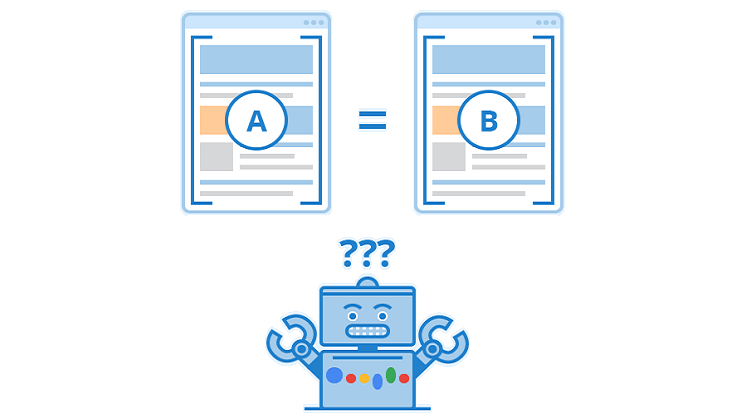
Duplicate content is one of the most misunderstood problems in SEO. The same article can live on your main site and a partner’s blog, a product page can exist with and without tracking parameters, and a press release can be syndicated across a dozen news sites. None of that is a crisis on its own. The problem starts when search engines have to guess which version counts, because the guess splits your ranking signals across copies, and the version that shows in results may not be the one you want.
The canonical tag, written rel=”canonical”, is how you stop the guessing. It names the single preferred URL for a piece of content, and it works across domains as well as within one site. This guide explains what canonicalization means in 2026, when cross-domain canonicals matter, exactly how to implement them, and the mistakes that cause Google to ignore your tag.
What canonicalization means in 2026
Canonicalization is Google’s process of selecting the representative URL when duplicate or near-duplicate pages exist. When Google finds several versions of the same content, it consolidates the ranking signals, links pointing to each copy, into the one URL it considers canonical, and that URL is the one eligible to appear in search results. The reasons to care are practical: consolidated signals instead of split authority, cleaner metrics for a single URL, and less of Google’s crawl budget spent on duplicate versions of your pages, as Google Search Central’s canonicalization documentation explains.
The single most important thing to understand is that a canonical tag is a strong hint, not a directive. Google weighs it alongside its own signals, and it can choose a different canonical than the one you specified. That does not make the tag useless: in the overwhelming majority of straightforward cases, Google honors it. It does mean you should treat canonicalization as signal management rather than a command, and verify what Google actually chose (more on that below).
When cross-domain canonicals actually matter
Most canonical advice covers duplicates on a single site: http versus https, www versus non-www, trailing slashes, tracking parameters, printer-friendly pages. Cross-domain canonicals solve the same problem between sites you control or cooperate with:
Content syndication. When a partner, publisher, or news site republishes your article, a cross-domain canonical on their copy pointing to your original consolidates the link signals their version earns back to your page. This is the classic use case, and it is exactly what the tag was extended to support.
Licensed or purchased content. If you license an article from another publisher for a fixed period, their page can carry a canonical to yours (or yours to theirs, depending on who should accumulate the ranking value), so neither side competes with the other in results.
Multi-domain publishing. Businesses that run separate domains for regions, brands, or campaigns and publish the same content on each can point every copy at the one domain meant to rank, instead of letting the copies dilute each other.
Near-duplicate regional pages. Country or language variants with largely identical content should combine canonical tags with hreflang annotations: each language version gets a self-referencing canonical in its own language, and hreflang maps the equivalents. Google’s guidance is explicit that the canonical should be in the same language as the page, or the best substitute language available.
Note what cross-domain canonicals do not do: they do not pass every drop of ranking value the way a 301 redirect does, and they do not hide the duplicate copy. The duplicate page can still be crawled and visited; it simply yields its search-result candidacy to the canonical version.
How to implement a canonical tag
Google supports four methods for specifying a canonical. You can combine them, but they must all agree: pointing a sitemap at one URL while the page’s tag points at another is one of the fastest ways to get Google to disregard both.
1. The rel=”canonical” link tag
This is the standard method for HTML pages. Place the tag in the <head> section of the duplicate page, pointing at the preferred URL:
<link rel="canonical" href="https://example.com/preferred-page" />
Use an absolute URL with the full https address, not a relative path. Match your site’s canonical choices exactly: the same protocol (https), the same www or non-www form, and the same trailing-slash convention everywhere.
2. The HTTP header method
For non-HTML files such as PDFs, where there is no <head> to put a tag in, serve the canonical in an HTTP Link header: Link: <https://example.com/preferred-page>; rel="canonical". This is the correct approach when duplicate documents live in formats other than HTML.
3. The sitemap method
List only canonical URLs in your XML sitemaps. Never include URLs you consider duplicates, redirected URLs, or the non-preferred variants. A sitemap full of duplicate URLs actively contradicts your canonical tags and is a common cause of Google choosing a different canonical than you intended.
4. The 301 redirect method
When you control both URLs and the duplicate serves no purpose, a permanent 301 redirect from the duplicate to the canonical is stronger than a tag: it consolidates signals fully and sends users to the right page. Use redirects for true duplicates you own (old URLs, parameter variants, http to https). Use canonical tags when the duplicate must remain accessible, which is usually the case across domains.
Google’s best-practice checklist
Google Search Central’s documentation sets out rules that apply to every canonicalization method. The ones that cause the most real-world failures:
Put a self-referencing canonical on every page. Even pages with no duplicates should carry a canonical pointing to themselves. This tells Google “this URL is the correct address for this content” and protects you when someone links to a parameterized or mistyped variant.
Send one consistent signal. Do not specify different canonicals for the same page through different methods. The sitemap, the link tag, the header, and your internal links must all name the same URL.
Link to the canonical URL internally. When you link within your own site, link to the preferred version, not a duplicate. Consistent internal linking is one of the strongest hints Google uses, and sensible website structure choices make it far easier to keep every link pointed at the canonical form.
Never canonical to a dead or blocked page. The canonical target must be accessible and indexable. Pointing at a 404, a noindexed page, or a URL blocked in robots.txt tells Google your signal cannot be trusted.
Do not use URL fragments. Google generally does not support fragments (the #section part) in canonical URLs.
Do not use robots.txt or the removal tool for canonicalization. A robots.txt disallow does not stop Google from indexing a URL without its content, and the URL removal tool hides all versions of a URL from search. Neither consolidates anything.
Handle JavaScript carefully. If your site renders with JavaScript, Google’s clarified guidance is to set the canonical in the original HTML and never change it with JavaScript; if you cannot set it in HTML at all, set it only with JavaScript and leave it out of the HTML, as Search Engine Land’s coverage of Google’s clarification explains. Then confirm in Search Console that Google picks it up.
Mistakes that cause Google to ignore your canonical
When Google disregards a canonical tag, one of these is usually why. First, conflicting signals: the tag says one URL, the sitemap says another, and internal links point to a third. Google resolves the disagreement by picking its own. Second, the canonical target is not indexable: it 404s, carries a noindex tag, or is blocked by robots.txt. Never combine noindex with a canonical to the same page and expect consolidation; noindex removes the page from search entirely. Third, the “duplicate” pages are not actually similar enough. Cross-domain canonicals work when the content substantially matches; pointing a canonical from a barely related page at a popular one looks manipulative and gets ignored. Fourth, long redirect or canonical chains, where A points to B which points to C, dilute the signal at every hop. Point every duplicate directly at the final canonical URL.
How to check which canonical Google actually chose
Do not assume your tag worked. In Google Search Console, the URL Inspection tool shows both the user-declared canonical and the Google-selected canonical for any URL. If they differ, the Coverage report will list the page under “Duplicate, Google chose different canonical than user.” That status is your debugging starting point: re-check signal consistency, indexability of your preferred URL, and content similarity, then request re-indexing after the fix. Canonicalization is ongoing maintenance, not a one-time tag drop, so re-check after site migrations, redesigns, and any change to URL structure.
Frequently asked questions
What is a canonical tag and how does it work?
A canonical tag (rel=”canonical”) is an HTML element that names the preferred URL for a piece of content when duplicate or near-duplicate versions exist. Google consolidates ranking signals from the duplicates into the canonical URL, which becomes the version eligible to appear in search results.
Can a canonical tag point to a page on a different domain?
Yes. Google supports cross-domain canonicals. They are commonly used when content is syndicated or licensed across sites: the republishing page carries a canonical pointing to the original, so link signals consolidate on the preferred version instead of splitting across copies.
Is rel=canonical a directive or a suggestion to Google?
It is a strong hint, not a directive. Google weighs your canonical signal alongside its own analysis and can select a different canonical URL. Keep every signal consistent (tag, sitemap, internal links) to maximize the chance Google honors your choice, and verify the outcome in Search Console.
Should every page have a self-referencing canonical tag?
Yes. Google recommends a self-referencing canonical on the canonical page itself, and the practice extends to every page, including unique ones. It declares the correct URL for the content and guards against parameterized, mistyped, or scraped variants being selected instead.
What is the difference between a canonical tag and a 301 redirect?
A 301 redirect permanently sends both users and search engines from the duplicate to the canonical URL and consolidates signals fully; use it for duplicates you control that serve no purpose. A canonical tag keeps the duplicate accessible while asking search engines to credit the preferred version; use it across domains and wherever the duplicate must remain reachable.
Why did Google choose a different canonical than the one I specified?
The usual causes are conflicting signals (tag, sitemap, and internal links naming different URLs), a canonical target that is not indexable (404, noindex, or robots.txt-blocked), pages that are not similar enough for consolidation, or long canonical chains. Fix the inconsistency, make sure the preferred URL is accessible and indexable, and re-check with the URL Inspection tool.
Canonical tags are a small piece of markup with an outsized effect on how your content performs in search, especially when that content travels across domains. Implement them with the link tag or HTTP header, keep every signal pointed at the same URL, and verify Google’s choice in Search Console. For the broader foundations your pages rely on, see the key essentials every small business website needs.
